I like to keep close tabs on the security world so my clients don’t have to (and Steve Gibson is a legend, IYKYK). Here’s what stood out this week and what it means for businesses like yours.
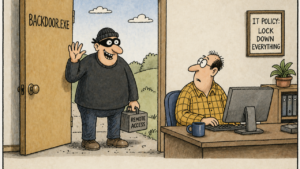
A security firm (our partner Huntress) found 23,500 computers in 124 countries with their antivirus quietly disabled by a piece of software the owners had forgotten they ever installed. The infected machines included 41 critical infrastructure operators in energy and transportation, 35 municipal governments, 24 schools, 3 hospitals, and the networks of multiple Fortune 500 companies. The attackers had a backdoor straight into all of them. And here’s the kicker. They didn’t have to break in. The hosts were already calling out, asking what to do next.
The story is worth walking through, because the underlying problem isn’t unusual. It’s probably true on at least a few computers in your own business right now.
How Forgotten Software Becomes a Live Backdoor
A company called Dragon Boss Solutions distributed a series of cheap “browser” products with names like Chromstera, Chromnius, and Web Genius. They were essentially adware. The kind of thing that gets bundled with free downloads and shows you pop-up ads. Annoying, but not the end of the world.
Except this software did something else. The automatic update feature quietly installed a script that disabled the user’s antivirus, blocked it from being reinstalled, and kept itself running in the background, checking in with a remote server every 30 minutes for new instructions.
Then Dragon Boss Solutions went out of business. Their domain name expired. Thousands of computers worldwide kept running their software, kept disabling antivirus, and kept reaching out to a domain that nobody owned anymore.
Huntress noticed and registered the abandoned domain themselves. They watched 23,500+ infected machines reach out asking for orders. If a bad actor had registered that domain instead, they would have inherited a ready-made backdoor into every one of those organizations. No hacking required. The infected machines would have done whatever they were told.
Why This Probably Applies to Your Business Too
You might be thinking, “We don’t install free junk browsers on our office computers.” Maybe not. But the pattern is broader than weird browsers.
Think about everything that’s accumulated on your computers over the years. The free PDF reader somebody downloaded. The shop floor PC running software from a vendor you stopped using in 2019. The plotter driver. The “system optimizer” your bookkeeper installed at home and brought into the office. The little utility your previous IT guy set up to make something work and never documented.
Some of that software is probably still phoning home. Some of those vendors are probably out of business. Some of those domains are probably available for anyone to register. Most small businesses don’t have a complete inventory of what’s running on their machines, and nobody has ever been responsible for asking.
It’s a little like leaving a side door unlocked at a jobsite trailer because you forgot it was there. Eventually somebody walks in. The fix isn’t fancy. It’s just knowing the door exists.
The Other Story This Week: Antivirus Alone Isn’t Enough
There was a separate piece of news this week about a Windows security flaw that, even with the latest April Microsoft updates installed, lets an attacker who’s gotten any kind of foothold on a computer take complete control. The flaw exploits a quirk in how Microsoft’s built-in antivirus handles certain files. Microsoft hasn’t released a fix yet. The next opportunity is the May update cycle.
The technical details don’t matter much. The takeaway does. An attacker just needs to get any code running on the computer in any way, through a phishing link, a malicious download, one of those “paste this command” scams I wrote about a few weeks ago. Once that happens, this flaw lets them escalate from a regular user to full administrator. After that, your built-in defenses are gone.
I’m not raising this to alarm anyone. I’m raising it because it points at the same idea as the Dragon Boss story. Relying on a single layer of defense is increasingly thin. Antivirus catches yesterday’s attacks. The flaws in your existing tools aren’t always patched on the day they’re discovered. The software running on your computers isn’t always something you remember installing. Layered defense is what holds up when one of those layers has a bad week.
Two Things Worth Doing This Week
If any of this sounds familiar, two starting points.
First, get an honest software inventory. Ask whoever handles your IT for a list of every application installed across every business computer in your fleet. Look at it. You’ll probably find things you don’t remember installing, things from vendors that don’t exist anymore, and things nobody can quite explain. Decide what stays and what goes. And ask whether that inventory will refresh itself automatically going forward, because a one-time list ages out fast.
Second, ask whether anyone is actually watching outbound traffic from your computers. When something on a workstation tries to reach out to the internet to phone home, or pull instructions, or send data somewhere, is anyone seeing it? If the answer is “no” or “I’m not sure,” that’s worth closing. DNS filtering (which blocks computers from connecting to suspicious or newly-registered domains) and endpoint detection and response (a security tool that watches every device for unusual behavior, the way a security guard watches a building) are the two pieces that handle most of this.
The bigger point. Most of the bad outcomes I see at small businesses don’t come from sophisticated attacks. They come from the basics getting neglected. Old software, missing patches, no monitoring, an antivirus that quietly got turned off by something nobody knew was there. The 23,500 infected machines in this story weren’t targeted. They had untended doors, and someone walked by.
If you’re not sure what’s running on your computers or whether anyone is watching for problems, that’s worth a conversation. We do this work every day, and I’d rather help you find the unlocked doors than have you discover them the hard way.
Design Tech is a managed technology partner for companies in the Charlotte metro area. We combine 28 years of managed IT with cybersecurity expertise to help businesses protect what they’ve built. Schedule a conversation →